Overview
WLOADCTL is an agile workload scheduling platform designed for batch job automation. Built on the philosophy of professionalism and focus, it combines advanced scheduling technologies with ETL workflow management to provide an intuitive platform for designing, monitoring, and managing complex job processes.
The platform enables organizations to automate, orchestrate, and monitor batch workloads through a unified interface, simplifying the management of complex scheduling environments.
WLOADCTL is a batch job scheduling tool that supports scheduling of various scripts and programs. It features a visual drag-and-drop design interface, visual job management, planned scheduling, real-time monitoring, message notifications, and log analysis functions. It effectively compensates for the shortcomings of traditional ETL tools in scheduling management and monitoring analysis. Additionally, the platform provides comprehensive auxiliary management functions such as metadata management, data relationship analysis, version control, and log analysis, offering enterprises an integrated service covering data migration, data warehouses, data standardization, data synchronization, data backup, data exchange, and enterprise customized secondary development.
WLOADCTL brings unprecedented simplicity by flexibly orchestrating and managing complex job scheduling dependency relationships within enterprises. WLOADCTL adopts full in-memory computing and full event-driven technology, enabling simple and rapid job definition, orchestration, and execution, and generating optimized scheduling execution suggestions, executing job scheduling efficiently. WLOADCTL mainly implements automated orchestration and scheduling of ETL jobs, stored procedures, SQL statements, shell scripts, DS jobs, and other multi-type jobs. It can be used to help users easily build an automated and standardized batch scheduling management platform, or to support the scheduling management automation of data flow in the era of big data, forming specialized solutions.
Product Features
- Simple: Supports CRUD operations for jobs on the Web page, simple operation, easy to get started in minutes;
- Streamlined: Re-optimized interface layout, graphics drag-and-drop actions, simplified operation steps;
- Email Alerts: Supports email alerts when jobs fail, supports configuring multiple email addresses for group-sending alert emails;
- Job Progress Monitoring: Supports real-time monitoring of job progress;
- Job Timeout Control: Supports custom job timeout settings; jobs running overtime will actively interrupt the job;
- Job Failure Retry: Supports custom job failure retry count; when a job fails, it will actively retry according to the preset failure retry count;
- Job Failure Alerts: Provides real-time email, SMS, and log alerts for job running;
- Script Job Support: Runs script jobs through a plugin-driven mechanism; (system presets: shell, python, Datastage, Informatica, Kettle, Java, big data, all-in-one machines, and various other scripts), with extensibility for more types;
- Running Reports: Supports real-time viewing of running data, such as: job count, scheduling count, executor count; as well as scheduling reports; (such as: scheduling date distribution chart, scheduling success/failure distribution chart)
- User Management: Supports online system user management, divided into administrator, ordinary users, and other various roles;
- Permission Control: Supports platform application channels, metadata read/write, job or workflow operation and access permission control;
- Job Dependencies: Supports configuring child job dependency scheduling; when a parent job finishes and succeeds, it will actively trigger a child job execution;
- Core Functions: Including serial, mutual exclusion, parallel, breakpoint resume, execution plan, fault tolerance strategy, loop, custom control strategy, relationship strategy, remote scheduling, etc.;
- Custom Job Parameters: Supports runtime configuration of scheduling job parameters, taking effect instantly;
- Trigger Strategies: Provides rich job trigger strategies, including: fixed interval trigger, fixed delay trigger, API (event) trigger, manual trigger, parent-child job trigger;
- Cross-Platform Support: Supports Linux, Windows, AIX, and other cross-platform applications;
- Supports 100,000-level Job Scheduling Batch Control;
- Provides an Online IDE Tool Environment with Syntax Checking;
- Software can be installed and deployed in minutes;
- Second-level Global Positioning for Job Node Location and Job Information Search;
- Job Automation and Manual Flexible Intervention;
- Supports Enterprise Features such as Load Balancing, High Availability, and Distributed Deployment;
- Does not depend on any third-party middleware technology, greatly reducing product implementation and operation difficulty;
- No expensive hardware server support required; can be installed and deployed on ordinary virtual machines;
- Invented Never-Crossing Flowchart and Online Editing IDE Environment: Can achieve automatic layout and sorting of flow diagrams without crossings; different job type icons can be differentiated and personalized for the most intuitive display;
- Provides Full-Data In-Memory Access and Full Event Engine-Driven Processing;
- Supports Multi-Channel Role Application Scenarios for System Developers, Operations Personnel, and Administrators;
Functional Architecture
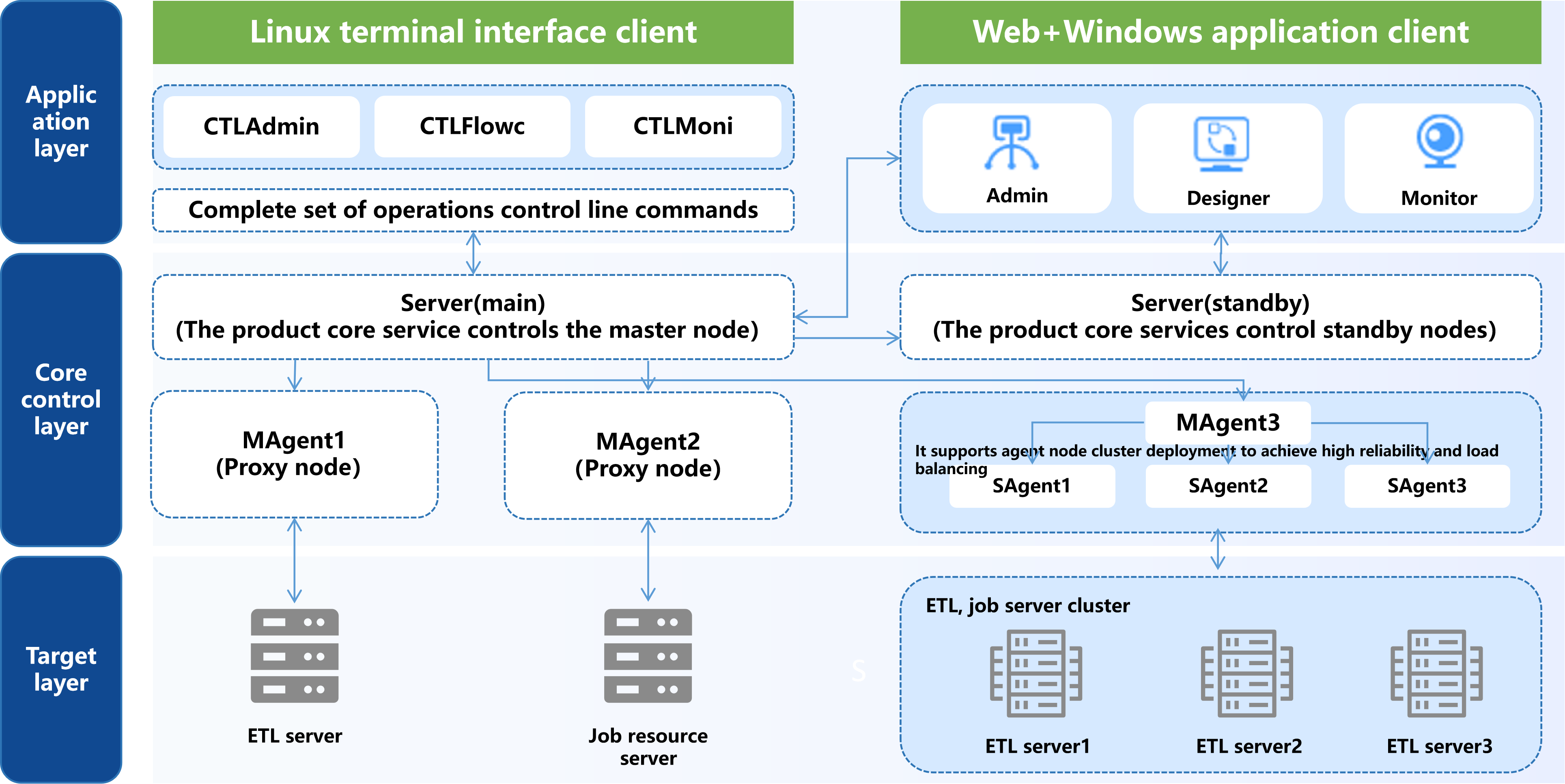
Through the above figure, we can see that wloadctl-web is an important member of the WLOADCTL client application product series. It has three functional modules:
- Platform Management (Admin): Platform-level configuration information management. Such as network node management, job type extensions, project management, global variable management, scheduling metadata import/export, user and permission management, message interface management, etc.
- Job Design (Designer): Job scheduling metadata design. Such as management of job control containers (timers/job flows), job relationship and attribute editing, variable management, job organization module management, etc.
- Operation Monitoring (Monitor): Job running monitoring and maintenance platform. Performs running monitoring and manual operation intervention on designed scheduling metadata. Performs query, statistics, and analysis on running information, etc.
Login Interface
When the platform is deployed, the scheduling service information has already been configured. Therefore, unlike the desktop client, you do not need to enter the scheduling service address.
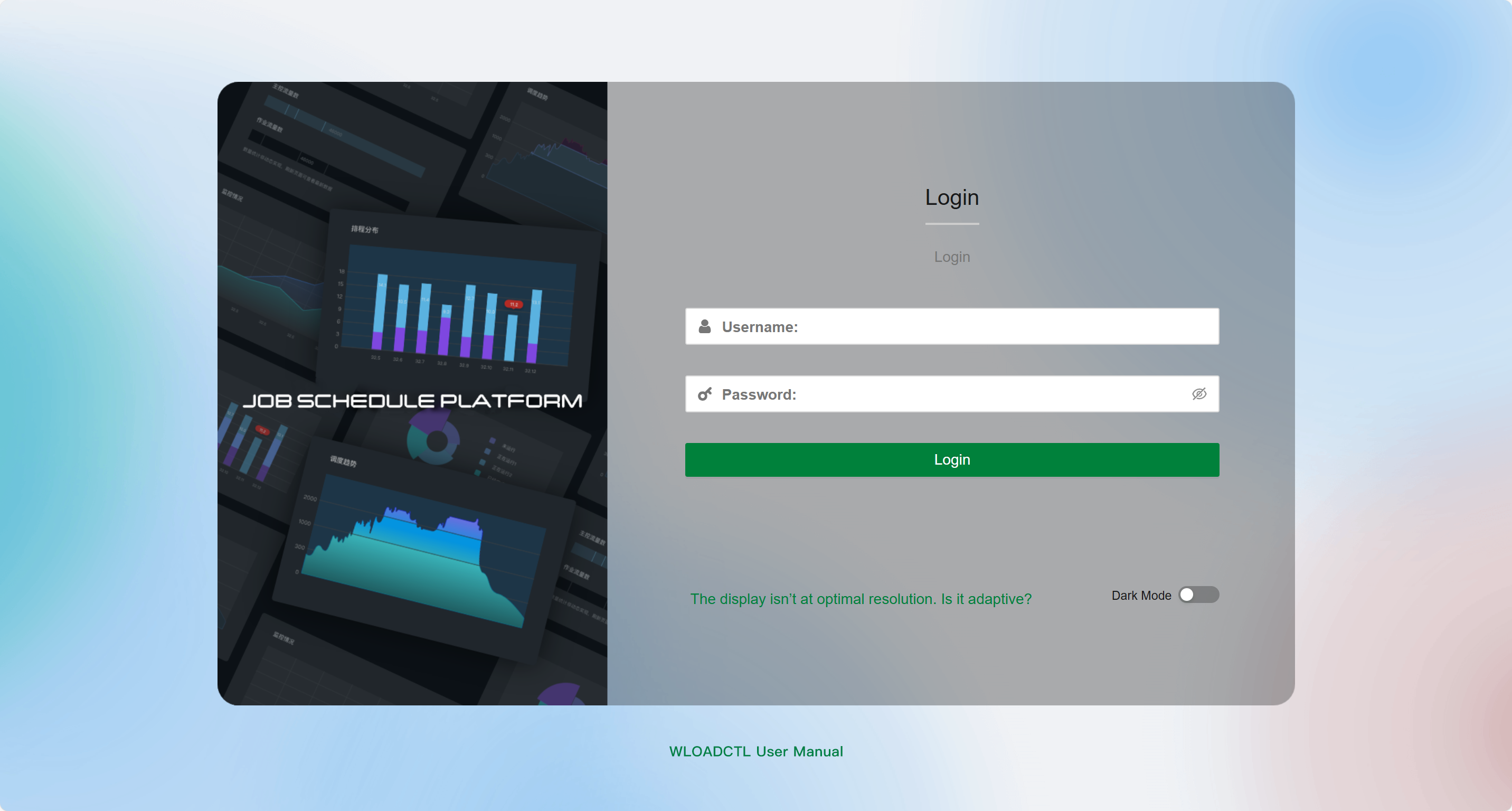
As shown in the above figure: Enter the correct username/password (default is admin/admin) and click the "Login" button. After successful login, WLOADCTL will perform a series of initialization operations based on the logged-in user and load the basic running information.
Welcome Interface
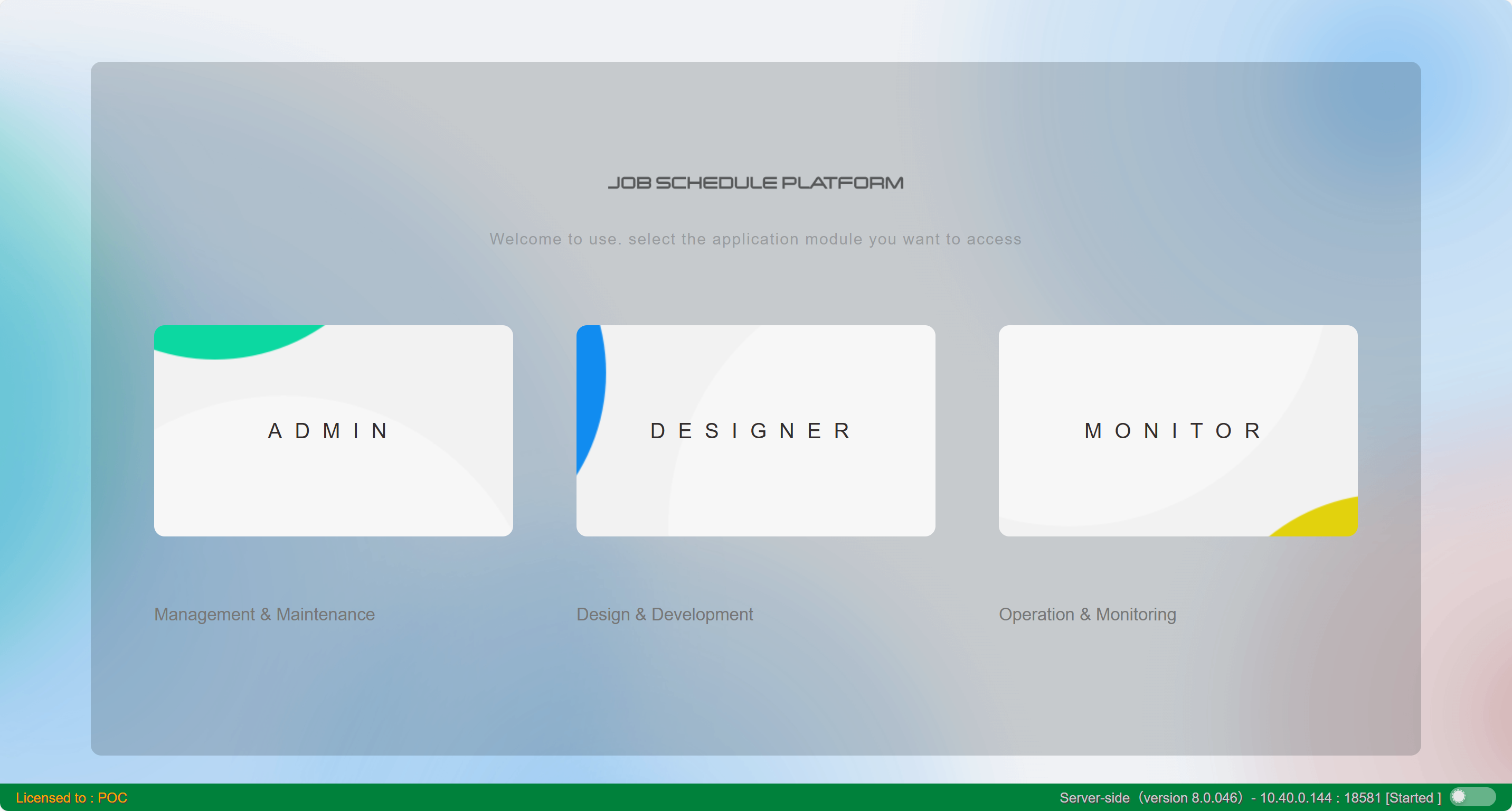
After successful login, you can enter the software's homepage, which consists of the three major functional modules of the product: "Management Platform (Admin), Design Platform (Designer), and Monitoring Platform (Monitor)", as shown in the figure below.